

✓ Boundary Value Analysis
✓ Equivalence Partitioning
✓ Decision Table Testing
✓ Use Case Testing

✓ Functional Testing
✓ Regression Testing
✓ Smoke & Sanity Testing
✓ Integration Testing
✓ Exploratory Testing
✓ Test Planning & Estimation
✓ Test Case Management
✓ Defect Tracking & Reporting
✓ Continuous Integration (CI)
✓ Agile & Scrum Practices

✓ Page Object Model (POM)
✓ Test Framework Design
✓ CI/CD Integration
✓ API testing
✓ UI testing

Java
✓ Core & OOP
✓ Collections & Generics
✓ Exception handling & I/O
✓ Strings, Arrays, Lists, Maps
✓ Unit tests with TestNG
✓ Maven build tools
✓ Test architecture (POM)
✓ Debugging & IDE skills

Python
✓ Core & OOP
✓ Data structures
✓ Exception handling & file I/O
✓ Pytest & unittest
✓ Test architecture (POM)
✓ Debugging & IDE skills

JavaScript
✓ Core
✓ DOM manipulation & selectors
✓ Asynchronous JS
✓ Test architecture (POM)
✓ Debugging & browser devtools

Playwright
✓ Core & async handling
✓ Locator strategies & selectors
✓ Test runner & fixtures
✓ Cross-browser testing
✓ Parallel & headless execution
✓ Page Object Model (POM) design
✓ Debugging & tracing tools
✓ TypeScript support & typings
✓ Test retries & timeout handling

Selenium
✓ WebDriver
✓ Locator strategies
✓ Waits & synchronization
✓ Handling alerts, frames, windows
✓ Page Object Model & Page Factory
✓ TestNG integration
✓ Script optimization

Postman
✓ API request building
✓ Environment & variable management
✓ Writing tests with JavaScript
✓ Pre-request scripts
✓ Automated test collections
✓ Response validation & assertions
✓ Collections & Workspaces

GitHub
✓ Version control basics
✓ Branching & merging strategies
✓ Pull requests & code reviews
✓ Resolving merge conflicts
✓ GitHub Actions for CI/CD
✓ Managing repositories
✓ Collaborating with teams
Swag Labs
2023 Dec, 2025 JunAutomation Testing - UI
Automated testing of the Swag Labs demo e-commerce website using Java and Selenium also TypeScript and Playwright. Implemented login, product selection, cart, and checkout test flows using Page Object Model (POM). The test cases were structured, reusable, and integrated with Maven.
Save All
2024 OctManual Testing - UI
Tools Used
Google Documents, Google Sheets, Chrome DevTools
Responsibilities
- Designed clean and organized test documentation.
- Designed comprehensive test cases covering UI, functional, and usability flows.
- Executed 150+ test cases and documented all results.
- Reported bugs with detailed reproduction steps, severity, and environment details.
Outcome
- Identified a 16% failure rate across major user flows.
- Identified critical and major defects improving product stability.
- Ensured complete test coverage for all core e-commerce functionalities.
About the Project
Manual testing of the Save All demo e-commerce website. Created comprehensive test cases based on requirements covering functional, UI, and usability aspects.
Skills Demonstrated
Manual UI Testing, Test Case Design, Bug Reporting, Regression Testing, Requirements Analysis, Documentation, Critical Thinking.
Your Store
2025 MayAutomation Testing - UI
Source Code:
Automated testing of the Your Store demo e-commerce website using TypeScript and Playwright. Implemented registration, product selection, cart, and checkout, menu, search and slides test flows using Page Object Model (POM). The test cases were structured and reusable.
Reqres
2025 AprAutomation Testing - API
Source Code:
This project is designed to perform automated testing of the Reqres API using JavaScript and Playwright. It includes test cases for validating API endpoints, ensuring data integrity, and verifying response structures. The project is built with Node.js and leverages Playwright's powerful testing framework.
Json Place Holder
2025 AprAutomation Testing - API
Source Code:
This project is designed to perform automated testing of the API using JavaScript and Playwright. It includes test cases for validating API endpoints, ensuring data integrity, and verifying response structures. The project is built with Node.js and leverages Playwright's powerful testing framework.
Pet Friend
2025 FebAutomation Testing - API
Source Code:
This project is designed to perform automated testing of the API using Python and Pytest. It includes test cases for validating API endpoints, ensuring data integrity, and verifying response structures.
Rostelecom
2025 MarAutomation Testing - UI
Source Code:
This project provides a structured with POM starting point for writing automated tests for the Rostelecom authorization process. It includes all key components required for a well-documented open-source or private project. This project is designed to perform automated testing of the UI using Python and Selenium. It includes test cases for validating registration functionality.
Personal CV Website
2025 JunWeb Development
Designed and developed a responsive personal CV website using HTML, CSS, and JavaScript. Includes sections for skills, experience, portfolio, and interactive certificate previews. This website demonstrates frontend skills and a structured UI layout.
Swag Labs - Test Case Example
| ID | Title | Preconditions | Steps | Expected Result |
|---|---|---|---|---|
| TC001 | Login with valid credentials | User is on the login page | 1.Open site 2.Enter credentials 3.Click login |
User is logged in and redirected to dashboard |
Swag Labs - Automation Script Example
 @Test
 public void loginWithValidCredentials() {
     loginPage.enterUsername("standard_user");
     loginPage.enterPassword("secret_sauce");
     loginPage.clickLogin();
     Assert.assertTrue(homePage.isHeaderVisible());
 }
SaveAll — Test Case: Date Filter (Invalid Date)
| ID | Project | Component | Date | Tester |
|---|---|---|---|---|
| TC-CLI-013 | saveall.ru/clients | Clients | 10/19/2024 | Melikyan S. M. |
| Title | Description | Preconditions |
|---|---|---|
| Date Filter Functionality — Non‑existent Date | Verify that entering a non‑existent date does not trigger filtering. | User is logged in and is in the "Clients" section. |
| No. | Steps | Expected Result |
|---|---|---|
| 1 | Click the filter button on the "Created" column. | A calendar opens to select the date range. |
| 2 | Enter "2352622" into the first field. | Date entered. |
| 3 | Enter "986556" into the second field. | Date entered. |
| 4 | Press the "Enter" key. | The page reloads; no filtering occurred. |
SaveAll — Bug Report: Profile Image Is Not Saved
| Bug ID | Project | Component | Date | Tester |
|---|---|---|---|---|
| Account 001 | saveall.ru/profile | My Account | 10/25/2024 | Melikyan S. M. |
| Title | Problem | Environment |
|---|---|---|
| Profile image is not saved | After uploading an image and confirming the crop, the image does not appear anywhere on the profile page. The uploaded file is not saved and disappears after page reload. |
OS: Windows 10 Browser: Google Chrome 129.0.6668.90 |
| Bug Overview | Attachments |
|---|---|
| After adding an image and confirming the crop step, the file is not displayed on the “My Account” page. The issue is consistently reproducible. | Video Evidence |
| No. | Steps | Expected Result | Actual Result |
|---|---|---|---|
| 1 | The user is logged in and on the "My Account" page. | The image should be saved and properly displayed on the "My Account" page. | The image does not appear on the page; the upload is not saved. |
| 2 | Click the "Browse" button. | ||
| 3 | Select an image in the file explorer and click "Open". | ||
| 4 | Click the "Crop" button. |
| Severity | Priority | Assigned To | Notes |
|---|---|---|---|
| Medium | Medium | — | — |
Pet Friend - GET request, Test Case example
| API Call | Expected Result | Notes |
|---|---|---|
|
Method: GET Endpoint: https://petfriends.skillfactory.ru/api/key Request Headers: Email: vasya@mail.com Password: 12345 |
content-type: text/json; charset=utf-8 date: <date> connection: keep-alive server: gunicorn/20.0.4 via: 1.1 vegur key: string |
Positive test case with optional response headers |
Swag Labs - Automation Script Example
test('Checkout without authorization', async ({ page }) => {
    await cart.open();
    let errorMsg = await loginPage.getErrorMessage();
    expect (errorMsg).toContain(`Epic sadface: You can only access
        '${cart.endpoint}' when you are logged in`);

    await checkout.open();
    errorMsg = await loginPage.getErrorMessage();
    expect (errorMsg).toContain(`Epic sadface: You can only access
        '${checkout.endpoint}' when you are logged in`);
});
Your Store - Automation Script Example
 test.describe('User Registration ', () => {
     test.beforeEach(async ({ page }, testInfo) => {
         if (testInfo.title !== 'Register with valid data')
             await page.goto('?route=account/register');
     });

     test.describe('Invalid email format', () => {
        const invalidEmails = [
            '', // Empty string
            'plainaddress',
            '@missingusername.com',
            'username@.com',
            'username@domain..com',
            'username@domain,com',
            'username@domain.c',
        ]
        for (let email of invalidEmails){
            test(`should show error using email: ${email}`, async ({ page }) => {
                const url = await page.url();
                await fillForm(page, 'Lena', 'Joy', email, generatePhone(), password);
                await page.getByRole('checkbox').check();
                await page.getByRole('button', { name: 'Continue' }).click();
                await expect(page.url()).toBe(url);
                await expect(page.getByRole('heading', { name: 'Your Account Has Been Created!' })).not.toBeVisible();
            });
        }
    });
 });
Reqres - API Automation Script Example
    test.describe('Create a user (POST)', () => {

        test('Create a new user', async ({request}) => {
            const response = await request.post('/api/users', {
                data:{
                    name: "Morpheus",
                    job: "leader"
                }
            });
            const data = await response.json();

            expect(response.ok()).toBeTruthy();
            expect(response.status()).toBe(201);
            expect(data.name).toBe("Morpheus");
            expect(data.job).toBe("leader");
            expect(data).toHaveProperty('createdAt');
            expect(data).toHaveProperty('id');

            // Clean up the fixture.
            const id = data.id;
            const deleteResponse = await request.delete(`/api/users/${id}`, {});

            if(deleteResponse.ok())
                console.log(`User with ID ${data.id} deleted successfully`);
            else
                console.log(`Failed to delete User with ID ${data.id}`);
        });
    });
Reqres - API Automation Script Example
    test('Successful post creation with valid data', async ({ request }) => {
        const newPost = {
            title: 'Valid Title',
            body: 'This is a valid post body.',
            type: 1
        };

        const response = await request.post('/posts', { data: newPost });
        expect(response.status()).toBe(201);
        const data = await response.json();
        expect(data).toHaveProperty('id');
        expect(data).toMatchObject(newPost);
    });
Reqres - API Automation Script Example
    def test_get_api_key_for_invalid_email(pf):
        """Test case to verify that an invalid email results in a 403 status code
            and the API key is not returned by the server.
            Args:
                email (str): Invalid email address.
                password (str): Valid password.
            Asserts:
                - The response status code is 403.
                - The response does not contain an API key."""

        status, result = pf.get_api_key(invalid_email, valid_password)
        assert status == 403
        assert not 'key' in result
Reqres - API Automation Script Example
    def test_auth_page_is_available(self, web_browser):
        """Test if the authentication page is available
        and the title is correct."""
        auth_page = AuthPage(web_browser)
        text = auth_page.title.get_text()
        assert text == "Авторизация", "Wrong page title"
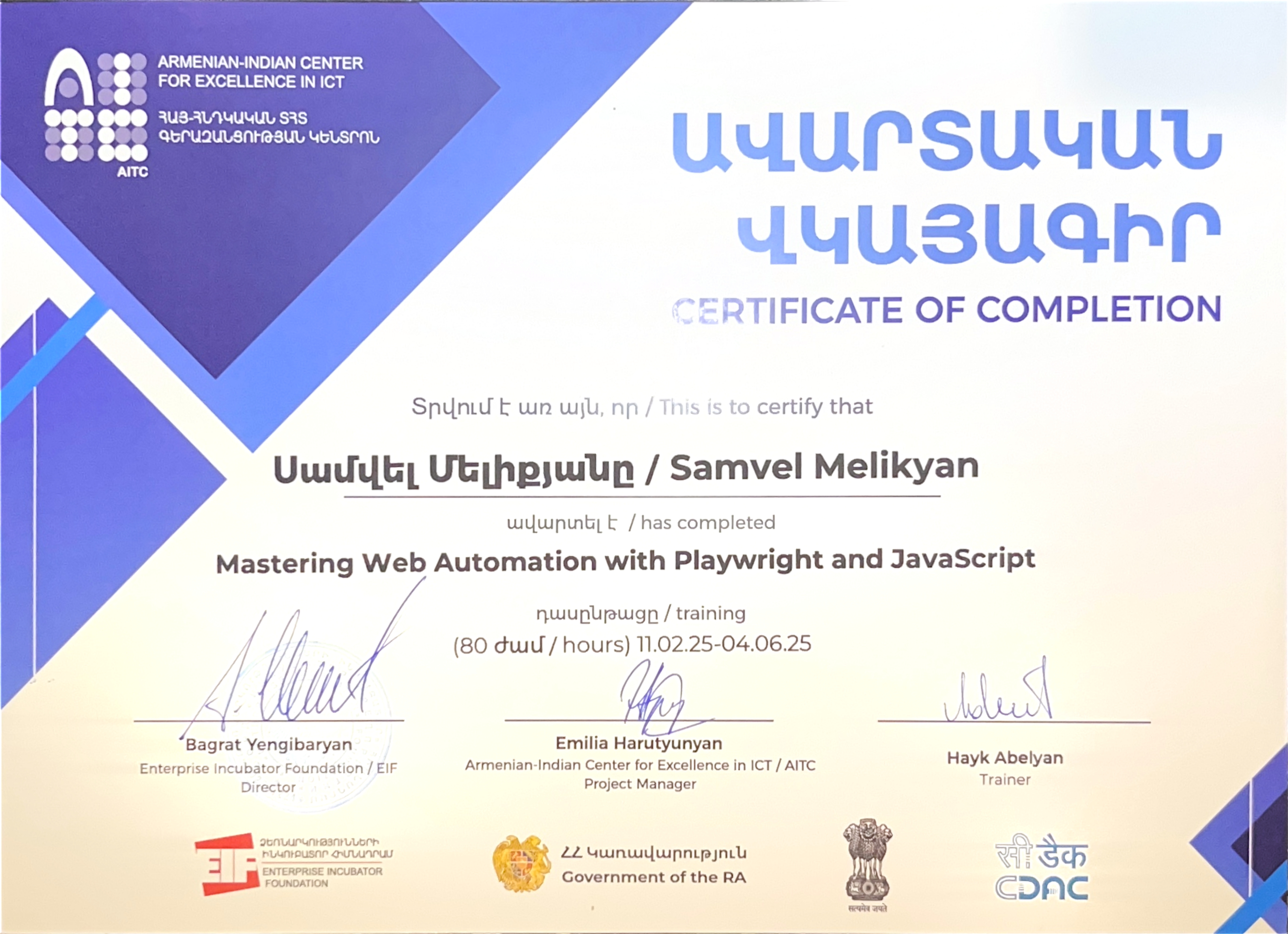
2025 Feb 11 - 2025 Jun 4
Mastering QA Automation with Playwright
Armenian-Indian IT Center
✓ JavaScript & TypeScript
✓ Testing API
✓ Testing UI
✓ Playwright Framework
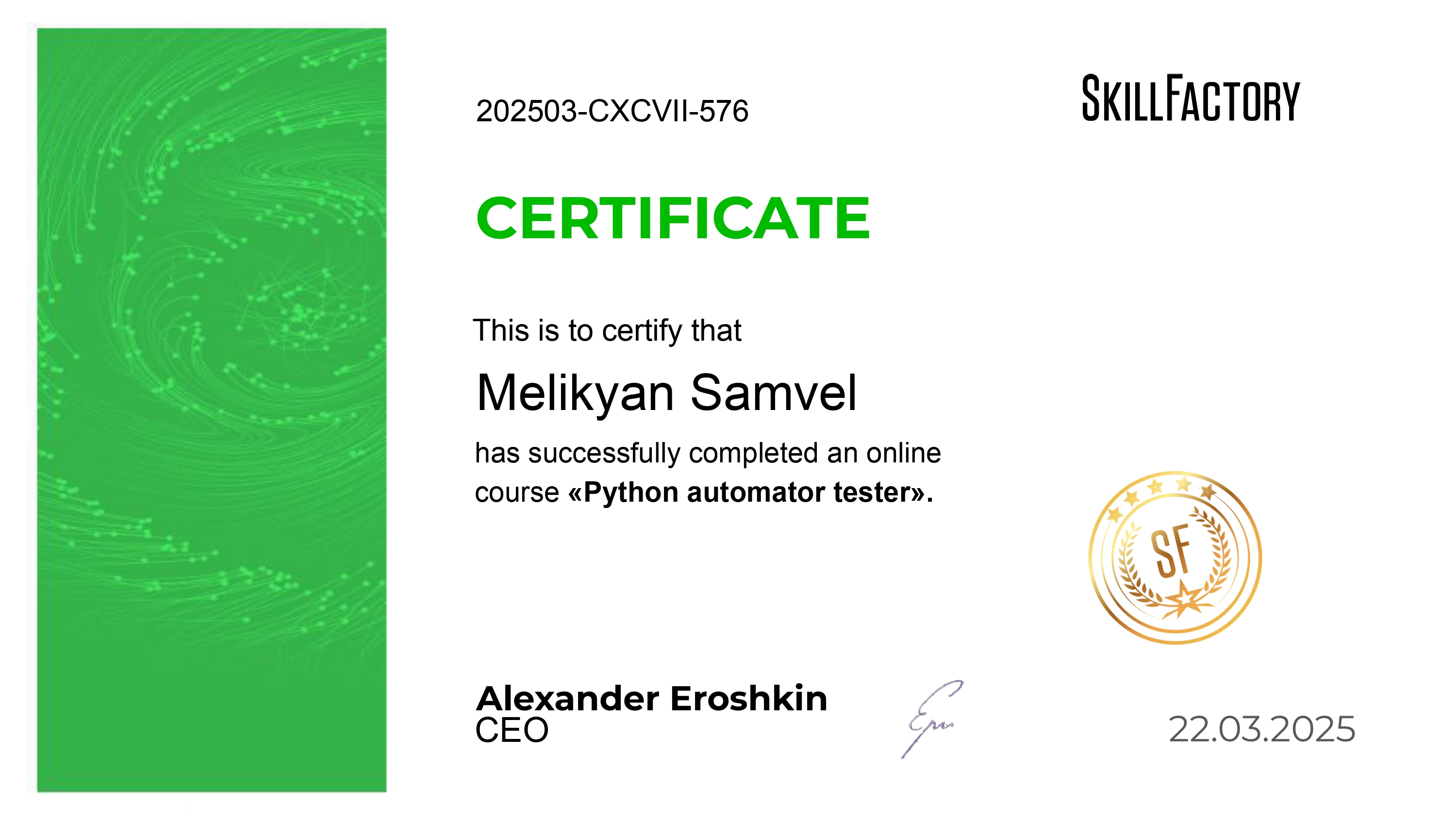
2024 Jun 13 - 2025 Mar 13
Python Automator Tester
Skill Factory
✓ Manual Testing
✓ Test Documentation
✓ SQL basics
✓ Algorithms
✓ Python & OOP
✓ Selenium Framework
✓ Testing API
✓ Testing UI
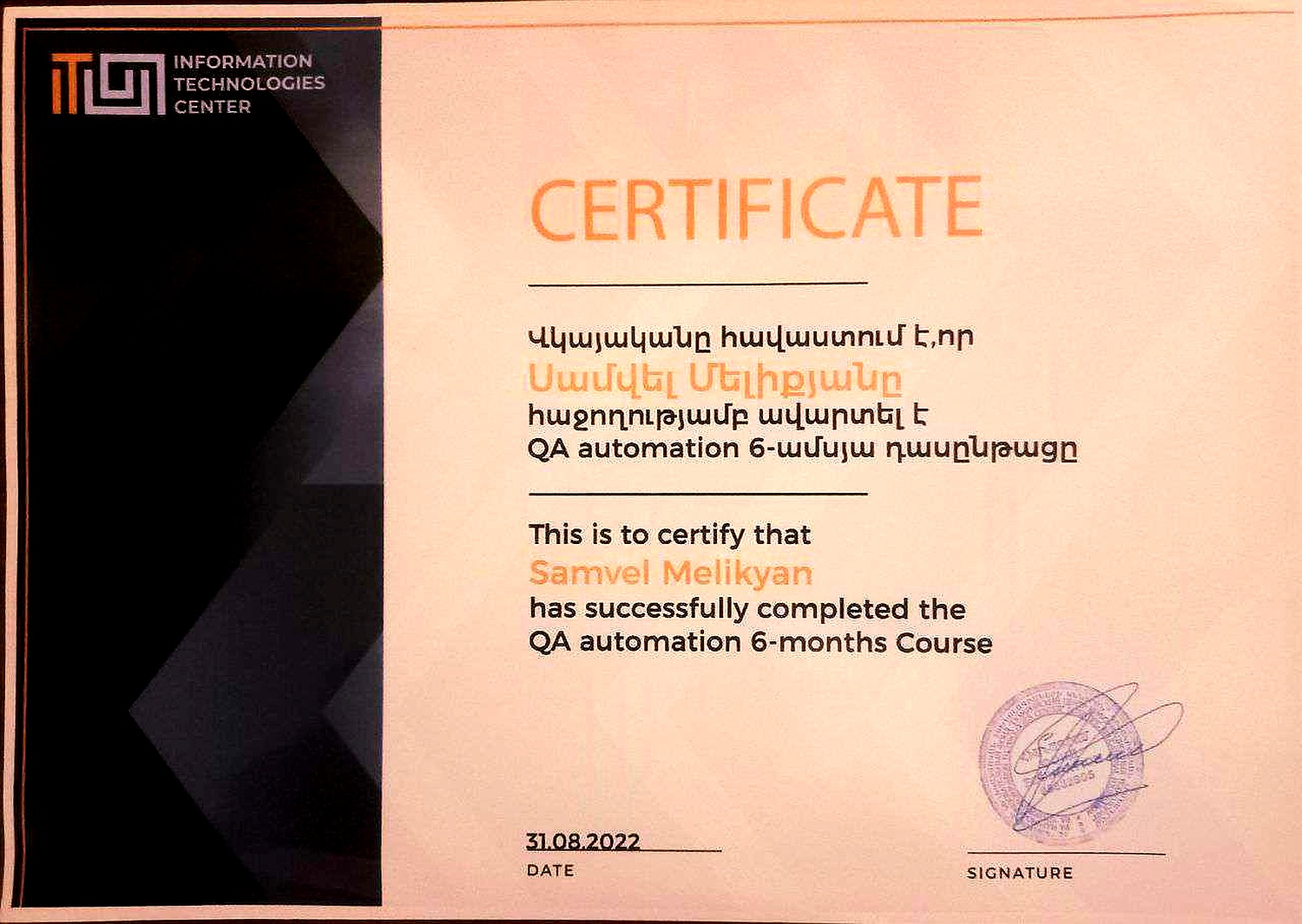
2022 Mar 1 - 2022 Aug 31
QA Automation with Java and Selenium
Gyumri IT Center
✓ Java & OOP
✓ Test Automation Fundamentals
✓ Selenium Framework
✓ Testing UI
✓ Testing API
2021 Oct 10 - 2021 Dec 10
JavaScript | HTML | CSS
Microsoft IT Center

✓ JavaScript
✓ HTML
✓ CSS
QA Automation Projects
Independent & Course-Based Projects — 2022 – Present
- Developed and executed automated test suites using Selenium (Java) and Playwright (TypeScript).
- Created and maintained Page Object Model structures for scalable testing.
- Wrote positive and negative UI & API test cases using Postman, TestNG, and Pytest.
- Used GitHub for version control and collaborative work.
Manual Testing Practice
Bug Reporting & Test Documentation
- Created clear and structured bug reports using reproducible steps.
- Developed test cases, checklists, and test plans based on product requirements.
- Tested web apps for functional, UI, and cross-browser issues.
Personal Web Development Projects
Frontend Development
- Built this personal CV website using HTML, CSS, JavaScript to showcase skills.
- Created responsive layouts and interactive elements for better user experience.